Global Illumination and Lighting in Architectural Rendering: A Guide for Architects

Joe Sherman · Head of Growth at Gendo
3 September 2026
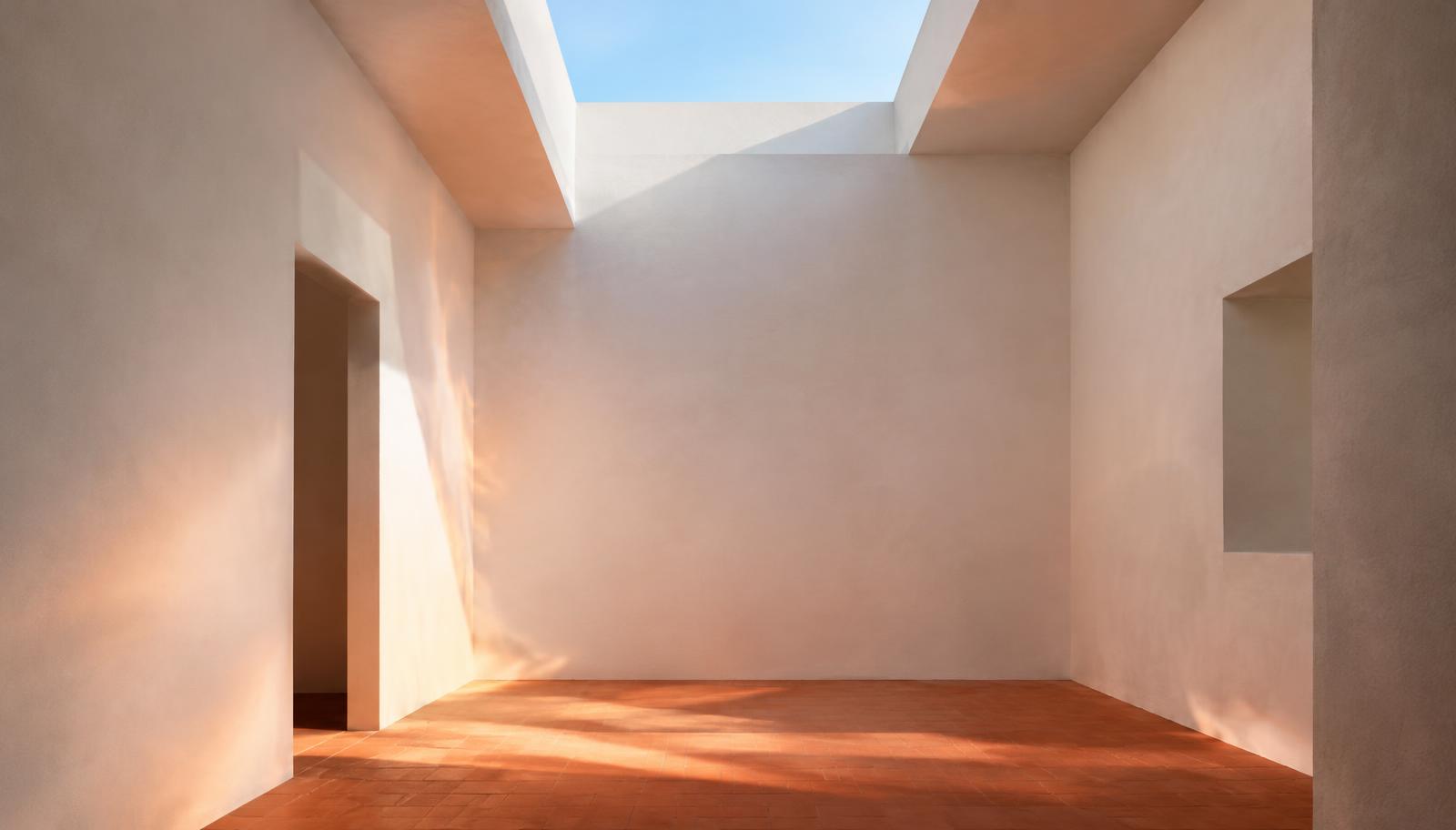
Lighting is the biggest factor in whether a render feels real. Much of what makes a space convincing isn't the light arriving directly from the sun or a lamp. It's the light bouncing between surfaces. Simulating those bounces is what global illumination is for.
This guide covers how it works, how to approach lighting in exterior and interior renders, and where AI rendering can help you test lighting options.
Direct and indirect light
- Direct light travels straight from a source, such as the sun, the sky or a lamp, to a surface.
- Indirect light bounces off at least one other surface first. It fills shadows and carries colour from one surface to another, an effect called colour bleeding. It's also what gives interiors their soft, even quality.
With direct light alone, a render looks harsh and shadows appear black. Indirect light is what brings it closer to a photograph.
What is global illumination?
Global illumination (GI) is a family of rendering techniques that simulate indirect light. Rather than considering only the path from a light source to a surface, GI accounts for how light reflects, scatters and carries colour between surfaces throughout the scene.
Common GI methods
- Path tracing: traces many random light paths per pixel. It's physically accurate but computationally demanding. Noise reduces as more samples are taken.
- Irradiance caching and light caching: calculate indirect light at sample points, then interpolate between them. Used in engines such as V-Ray, these methods trade some accuracy for speed.
- Photon mapping: emits "photons" from lights and stores where they land. It's useful for caustics.
- Real-time GI: uses approximations such as screen-space methods, voxel-based GI and hardware ray tracing. You'll find these in Enscape, Twinmotion, Lumion, D5 and game engines.
- Ambient occlusion: isn't GI itself. It's a shortcut that darkens corners and contact areas to suggest indirect shadowing.
Lighting exterior renders
- Sun and sky systems: a physical sun paired with a matching sky model gives you consistent light and shadows based on date, time and location.
- HDRI lighting: a high dynamic range panoramic image lights the scene and provides reflections. Choose one whose sun position matches your shadows.
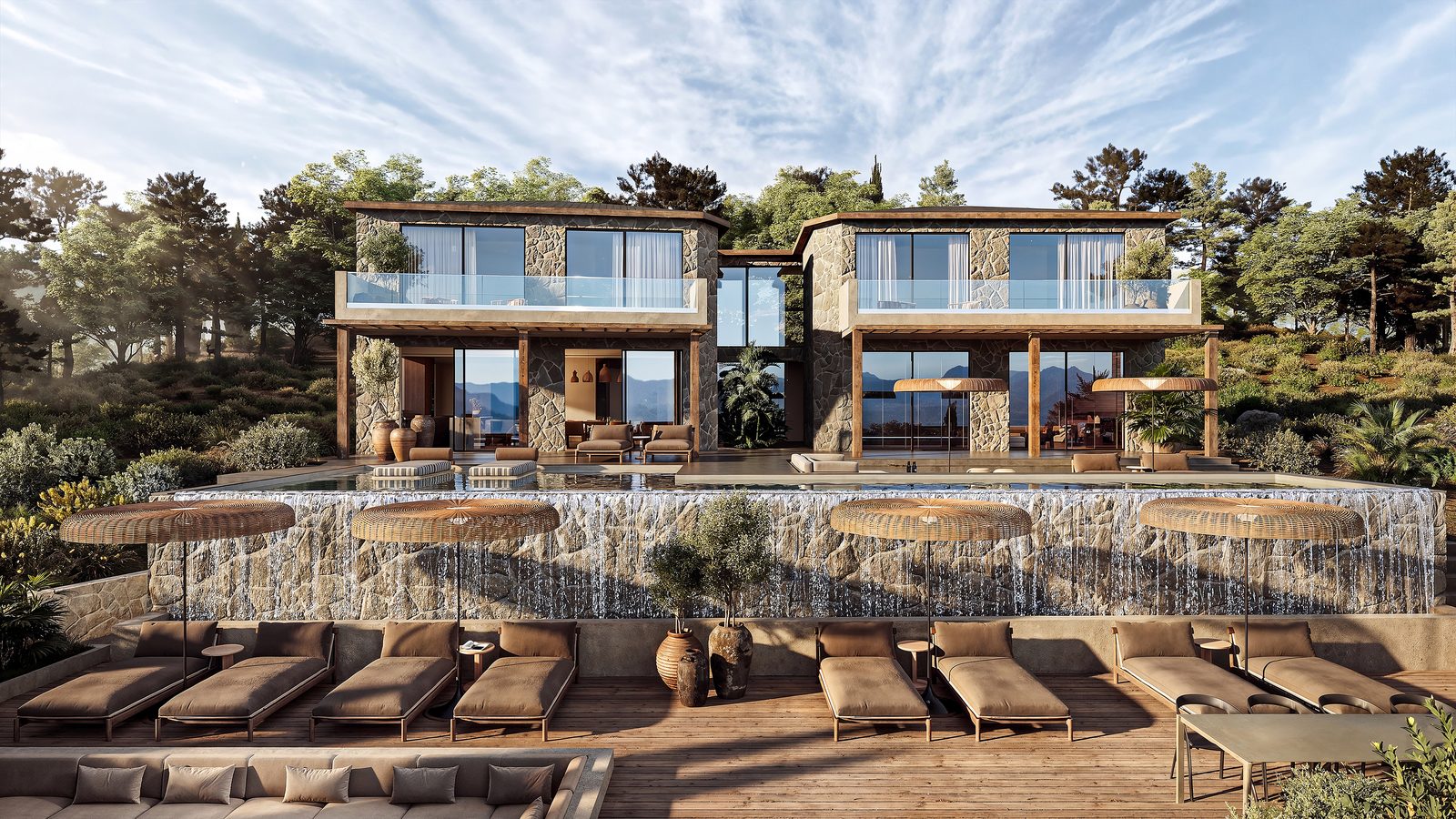
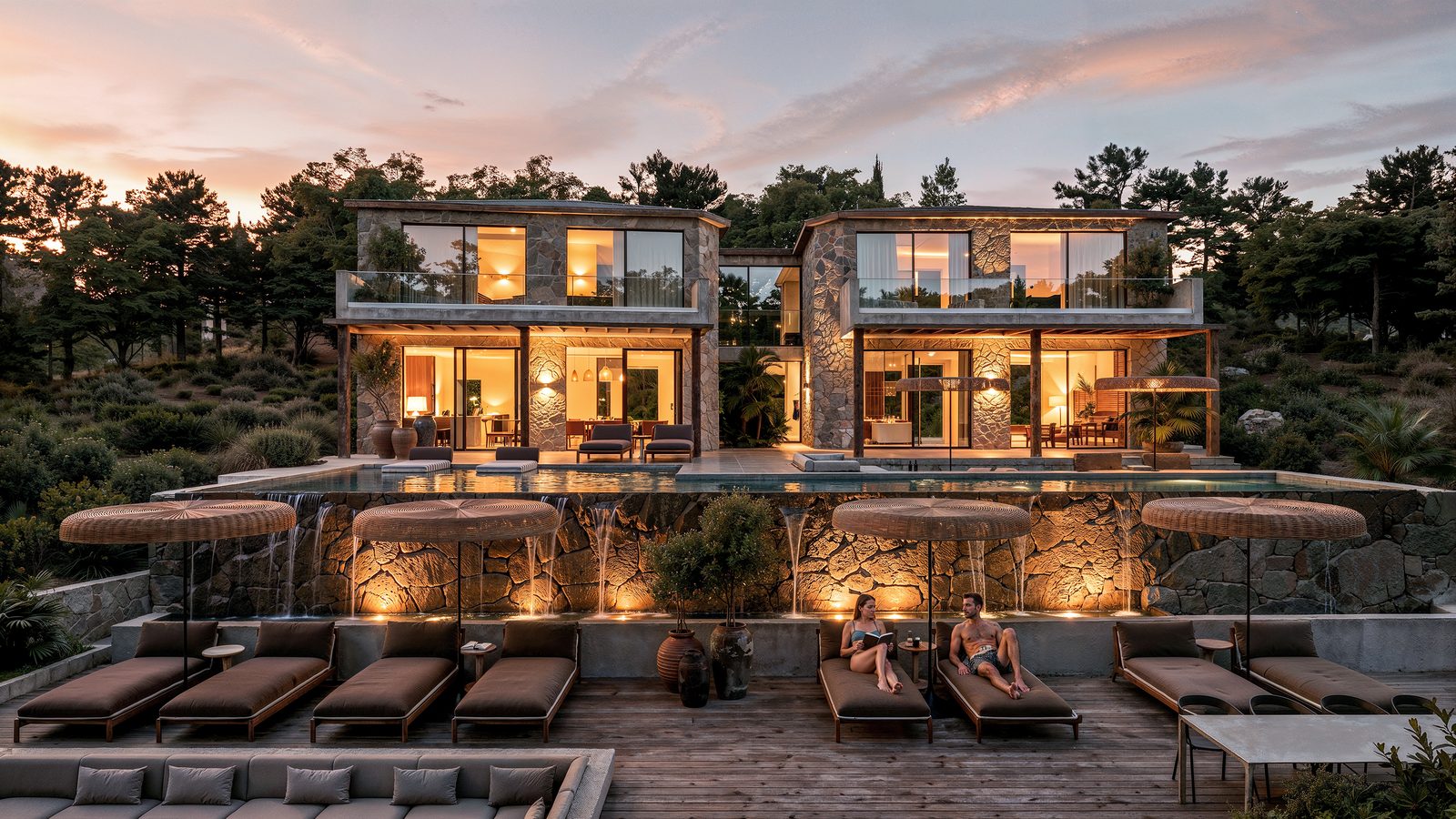
- Time of day: low sun brings warmth and long shadows, while overcast light shows materials more evenly. At dusk, sky light combines with the glow from interiors.
Our photorealistic exterior rendering guide looks at how lighting works with context and materials.
Lighting interior renders
Interiors are harder to light because most of the light is indirect.
- Daylight first: let light from the windows drive the scene. Portal lights or sky portals can help the renderer sample that daylight.
- Exposure: set it as you would for a photograph. Interiors are much darker than exteriors, which is why windows often blow out.
- Artificial lighting: use real fixture data (IES profiles) where available, with realistic colour temperatures. Warm light, around 2,700 to 3,000 K, suits residential spaces; cooler light suits workplaces.
- Bounce: pay attention to surface colours. A red floor can tint the whole room through colour bleeding.
For tools focused on interiors, see our guide to interior design rendering software.
Lighting studies across a project
Lighting is a design question, not just a rendering task. Across a project, you might use studies to explore:
- Sun and shadow for massing and planning
- Daylight in key interior spaces
- Facade lighting and night-time appearance
- Mood and atmosphere for client presentations
Render images aren't daylight or lighting calculations. Where compliance or performance matters, use dedicated simulation tools and work with a lighting designer.
How AI handles lighting
AI rendering doesn't simulate light paths. Instead, the model has learned from photography how light behaves in architectural scenes. It reproduces effects such as indirect light, colour bleeding and soft shadows in the generated image.
That changes how you can explore lighting, but it also sets a clear limit on what the images can tell you:
- Changing time of day is fast. You can show the same view at midday, golden hour or dusk by changing the prompt or a reference image, without rebuilding a lighting set-up.
- Options are easy to compare. Showing lighting moods side by side helps clients choose an atmosphere early in the project.
- The lighting isn't physically measured. It's plausible, not calculated. Don't use it for daylight compliance or lighting design calculations.
On Gendo's canvas, each lighting variation branches from the same source image. You can compare day, dusk and night versions together, with the team's comments kept next to the chosen version.
Frequently asked questions
What is global illumination in rendering?
Global illumination simulates indirect light: light that bounces between surfaces before reaching the camera. It's what makes renders look natural rather than harsh.
What is the difference between direct and indirect lighting?
Direct light travels straight from a source to a surface. Indirect light reaches that surface after reflecting off other surfaces.
Does real-time rendering use global illumination?
Yes. Real-time engines such as Enscape, Twinmotion, Lumion and D5 use approximate or ray-traced GI methods that trade some accuracy for speed.
Why do my interior renders look dark?
Interiors rely on indirect light. Check that GI is enabled and use window portals to help sample daylight. Adjust exposure as you would for a photograph, and make sure your surfaces aren't too dark.
Can AI change the lighting in a render?
Yes. AI rendering tools can relight the same view for different times of day and moods using a prompt or a reference image. The result isn't a physical lighting calculation.