
Why Architects Choose Gendo
Over Generic AI Tools
A design canvas built for architecture — precise edits, unlimited iteration and your whole team in one place. Not a chat thread full of drifting geometry.
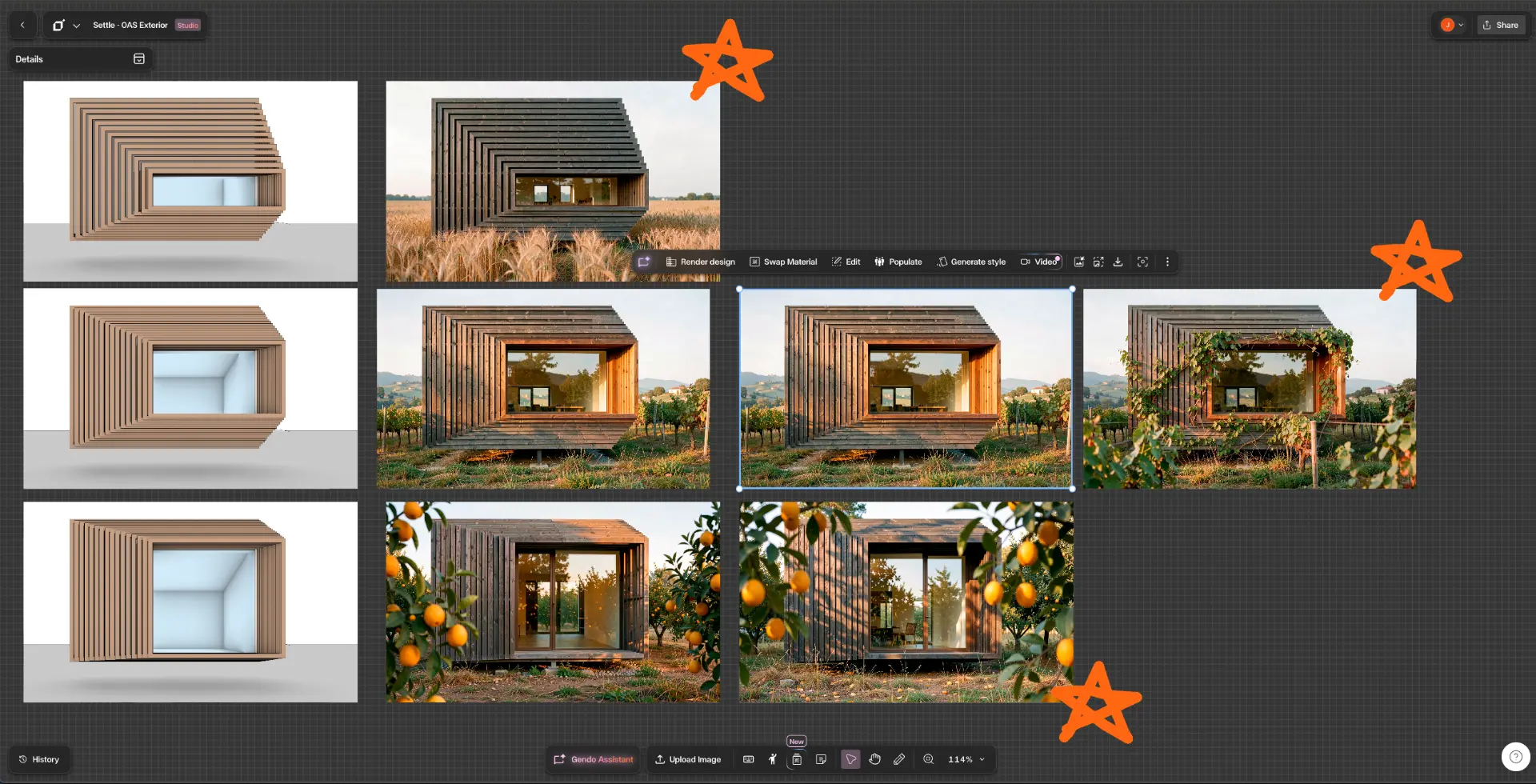
A live Gendo canvas — every variation, comment and decision for a project in one place.
Trusted by over 250,000 users, including


The difference
Six Reasons Studios Switch
You always work from the source
Your sketch or model export stays pinned on the canvas. Every variation branches from it directly, so the fifth option is as sharp as the first — no photocopy-of-a-photocopy decay.
Edits are architectural, not conversational
Change a material, populate a scene, shift the lighting. Dedicated tools alter what you asked for and leave the rest of the design alone.
Unlimited generation, no credits
Design is a loop. Exploring a tenth direction costs nothing, on every plan including free.
The whole studio, on one canvas
Browser-based, no installation, no specialist operator. Free viewer seats mean clients review work without another licence.
Private by default, your IP
Paid plans are private, GDPR-compliant EU hosting, full IP ownership, and client work is never used to train models.
Model upgrades handled for you
New image models arrive every few months. Evaluating and tuning them for architecture is our job, not yours. Your renders simply get better.
Side by side
Gendo vs the Alternatives
| Capability | Gendo | ChatGPT / Gemini | DIY ComfyUI |
|---|---|---|---|
| Holds your geometry across iterations | |||
| Compare variations side by side | |||
| Unlimited generations | |||
| Shared team workspace & version history | |||
| Architectural editing tools | |||
| No setup, hardware or maintenance | |||
| Never trains on your client work |
DIY setups can deliver control — at the cost of hardware, build time and ongoing maintenance.
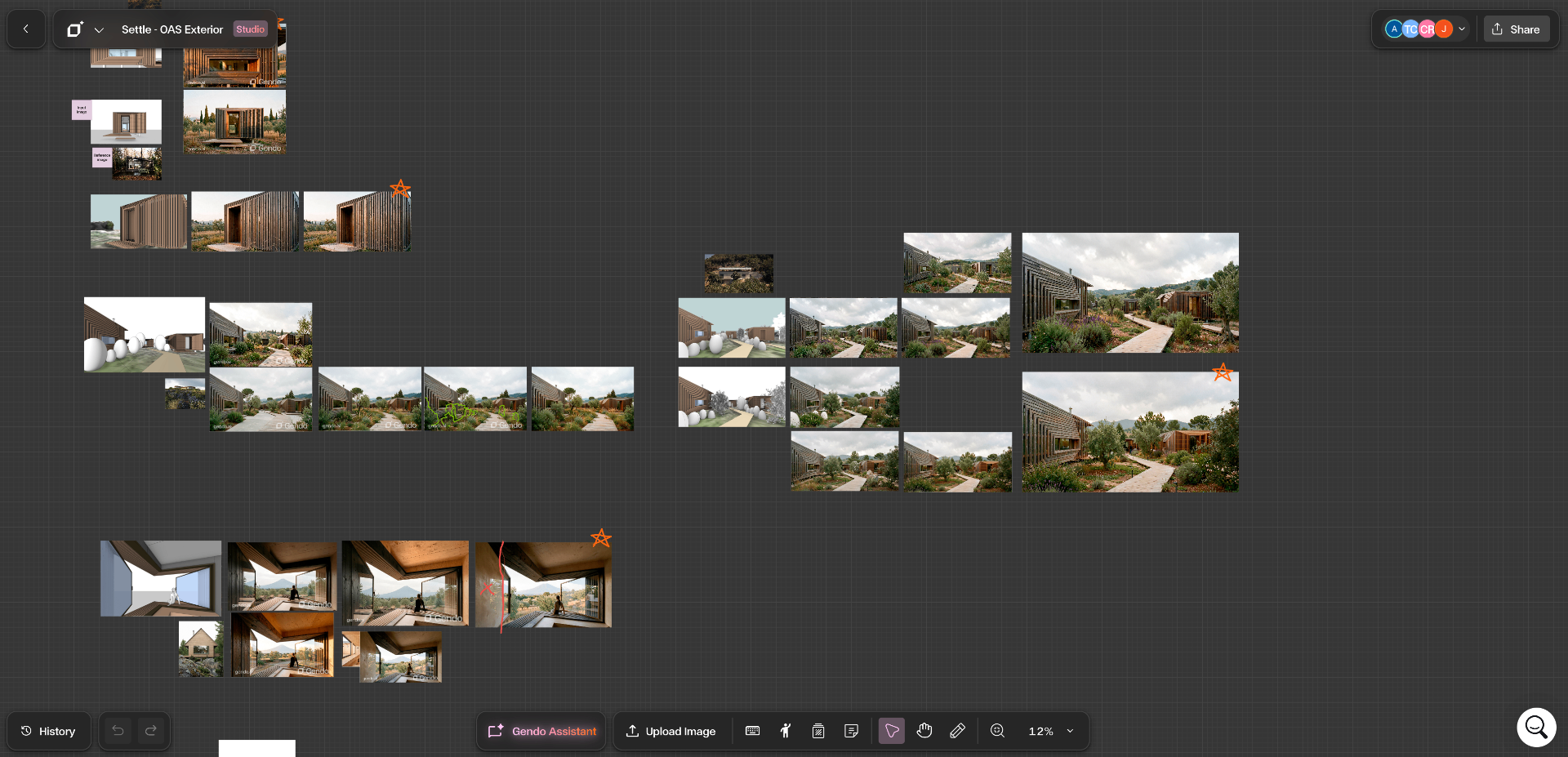
An Entire Project Stage, Visualised in Gendo
Settle replaced its Unreal Engine and Photoshop pipeline with a single Gendo canvas — bringing screenshots from a detailed 3D model straight into Gendo to produce every visual for a full project stage.
80%
Time saved per image
1
Tool, not three
Won
Competition stage
Read the Settle case study"In the noise of endless new AI tools, Gendo stands out as a company that fundamentally understands the user and provides an excellent service to them."
In their words
What Studios Say
“Gendo is the best and most professional AI platform I have ever used. I am very impressed and satisfied with the result.”
Kyparissa Jahandar
Interior Architect, Kyparissa Atelier
“It is the best option for representing a project.”
Rubén Ángel Hernández García
Architect, Hernández Arquitectos
“Gendo has helped bridge the gap between basic AI image generation and traditional CGI production. It gives us a practical, affordable and adaptable way to create visuals that support marketing, sales and internal decision making.”
Rob Clubbe
Sales & Marketing Manager, Lafford Group
Common Questions
Why not just use ChatGPT or Gemini?+
They are excellent for one-off images and quick edits. They break down as a workflow: each edit regenerates from the last output, so geometry drifts and quality decays, and there is no way to compare options side by side or keep a project's history.
Is Gendo really free to start?+
Yes. The free plan includes unlimited image generation with watermarked outputs. No credit card required. Paid plans unlock unwatermarked outputs, collaboration and full IP ownership.
What software does it work with?+
Any image export — SketchUp, Revit, Rhino, ArchiCAD, Vectorworks, Blender, or a hand sketch.
See the Difference on Your Own Project
Upload a model export or sketch and generate your first visuals in minutes.
Start Free in Gendo CanvasNo credit card required