AI-Assisted Design Workflows: A Practical Guide for Architecture Studios

Joe Sherman · Head of Growth at Gendo
18 March 2026
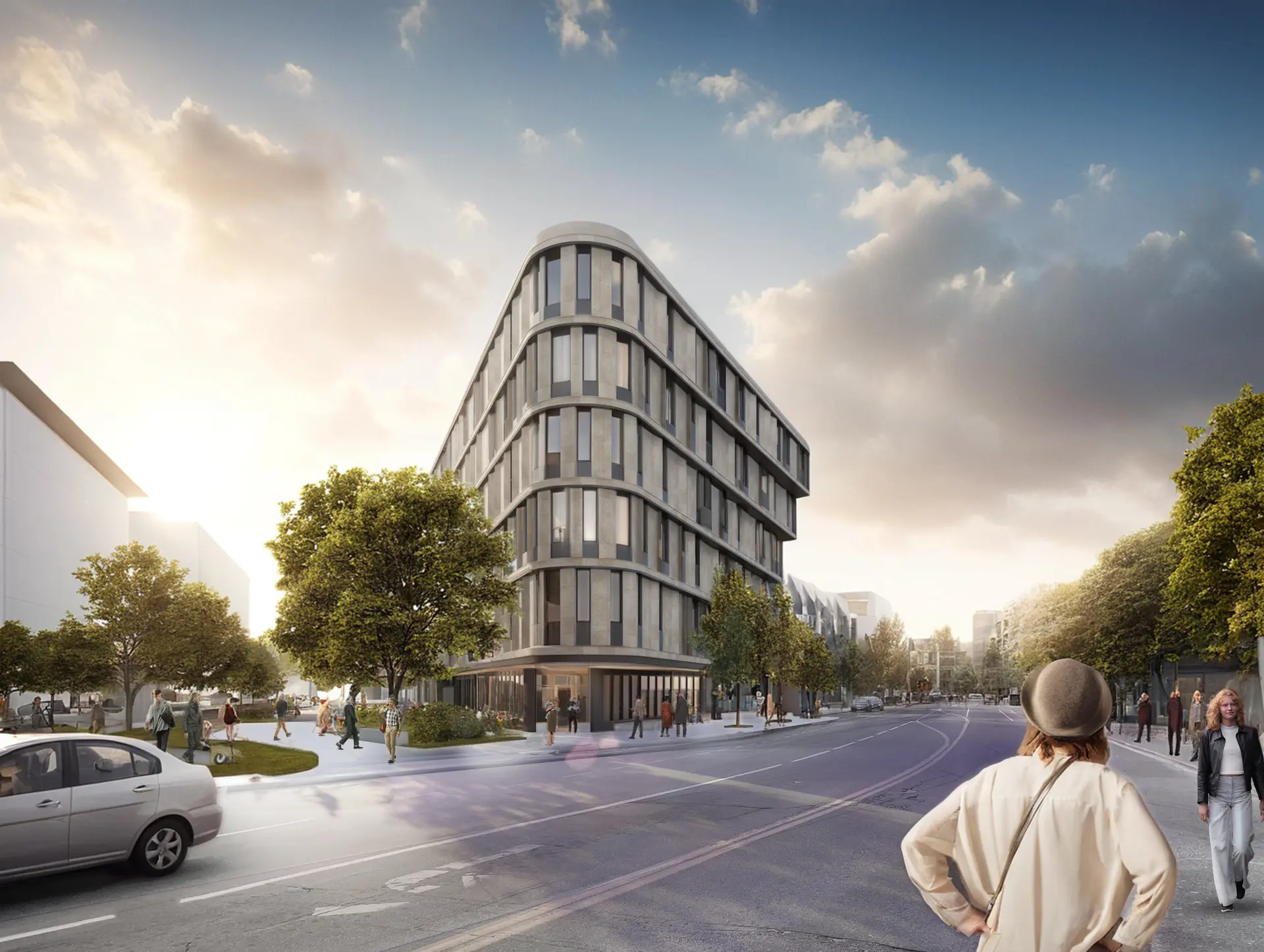
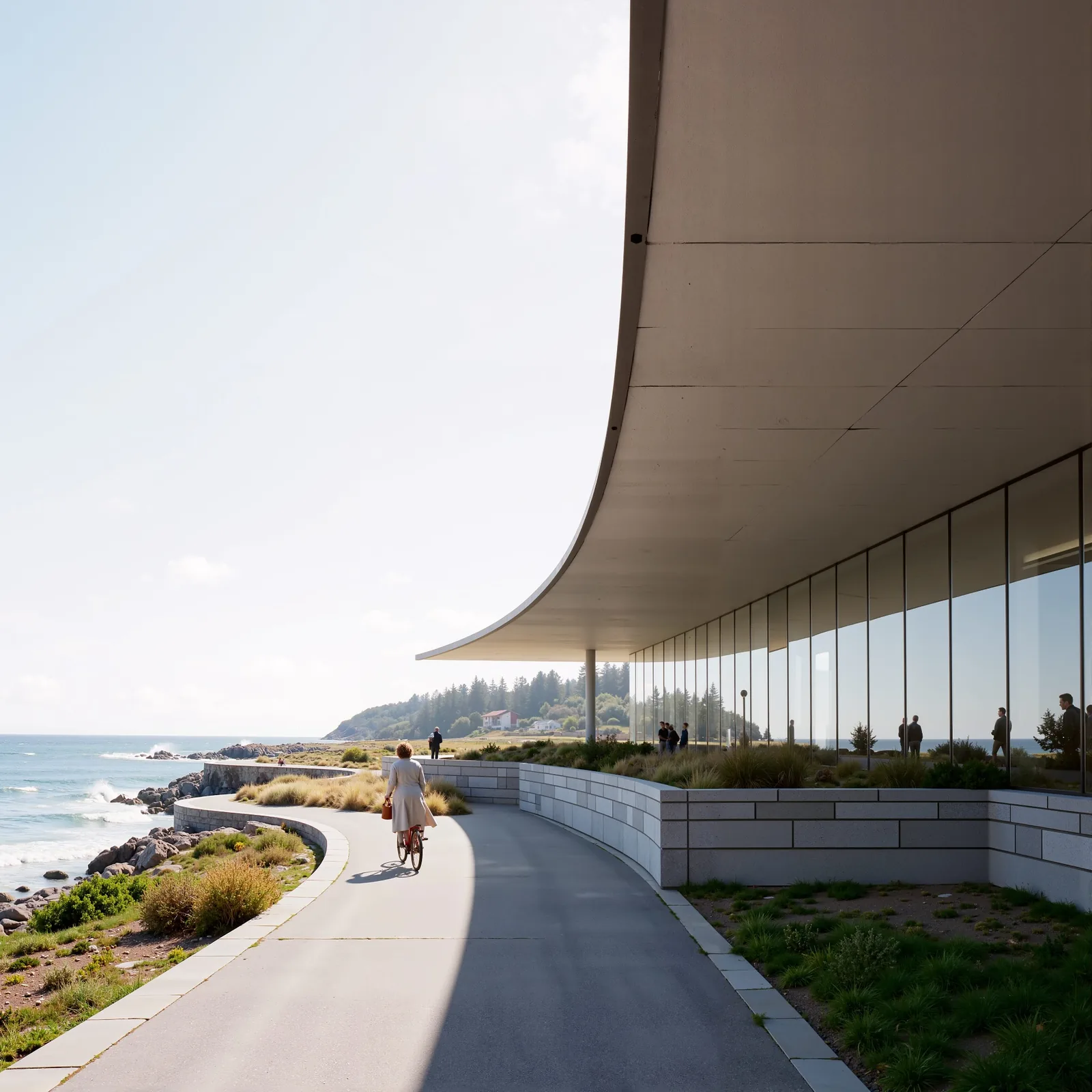
AI-assisted design workflows are transforming how architecture studios move from concept to contract. By creating a continuous, collaborative loop — where iterations, client feedback, and decisions are captured in one place — these workflows reduce fragmentation and give teams a clear audit trail from sketch to sign-off.
For studios producing better visuals faster while maintaining design ownership, AI-assisted design workflows are less about replacing designers and more about amplifying creative and decision-making capacity. This guide covers how to implement them, what to look for in platforms, and how to avoid common pitfalls.
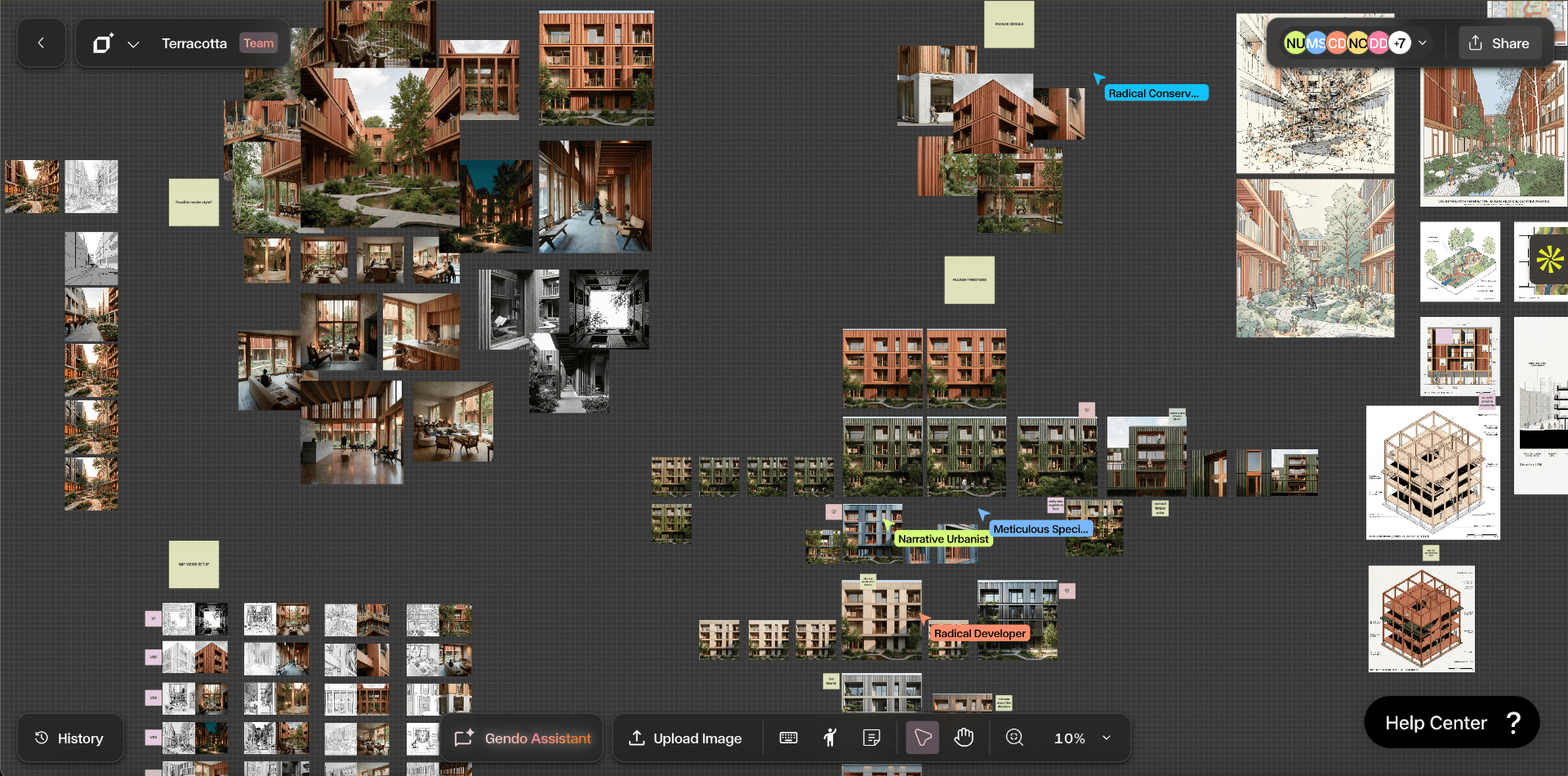
Explore the Gendo Architectural Design Canvas to see how AI rendering, iteration capture, and collaboration work in a single workspace.
Why AI-Assisted Design Workflows Matter for Architecture
Architectural practice balances creativity with constraints: time, budget, client expectations, and technical requirements. Traditional toolchains — separate modelling, rendering, review, and file-sharing apps — fragment work and bury context.
AI-assisted design workflows unify those steps. They accelerate routine tasks while preserving the architect's intent and authorship.
When deployed thoughtfully, AI workflows in architecture can:
- Speed up visualisation by generating high-quality renders and concept variations rapidly
- Enable broader exploration through automated mass iterations that surface unexpected ideas
- Capture decisions and client feedback in context so nothing is lost between meetings
- Improve presentation quality and timeliness, which raises win rates for proposals
For firms that adopt them well, AI-assisted design workflows lead to better internal collaboration, clearer client communication, and an auditable record of design intent — everything needed to scale practice while maintaining craft and control.
What Are AI-Assisted Design Workflows?
AI-assisted design workflows refer to the sequence of design activities where artificial intelligence tools support, automate, or augment tasks across the design lifecycle. That includes:
- Generative concepting — rapid ideation via generative models
- Automated render creation and material suggestions
- Image-to-model or model-to-image conversions
- Variant management and diffs between iterations
- Natural language client feedback integration and automated mark-up
- Decision capture and traceability for approvals
Crucially, AI does not work in a vacuum. The most effective AI architectural design processes pair AI capabilities with human review loops, governance rules, and tooling that centralises assets and conversations — avoiding the trap of producing visuals without design rationale.
Components of an Effective AI-Assisted Workflow
Implementing AI-assisted design workflows requires thinking beyond individual tools and toward a connected system.
1. A Central Design Canvas
A single workspace where models, renders, annotations, comments, and version history live together is foundational. This central canvas prevents files from splintering across apps and preserves the story behind decisions.
Platforms built specifically for architecture — like the Gendo Canvas — provide context-aware features such as linking a render to the exact model revision, so teams review the "why" as easily as the "what."
2. AI Rendering and Generative Engines
These engines produce images, variations, or parametric options. They range from cloud renderers that accelerate ray tracing to diffusion models that propose stylistic concepts. The right AI rendering workflow depends on desired fidelity, control, and integration needs.
3. Prompting and Templates
Good prompts are repeatable. Templates capture the studio's aesthetic language and technical constraints — lighting setups, camera angles, material palettes — so AI output remains on-brand. Templates also speed iteration since the studio is not reconstructing context for every run.
4. Version Control and Branching
Instead of "final_v12.jpg" in a folder, architects benefit from structured versioning where branches represent design directions. Branching enables parallel exploration — one branch for a minimal material palette, another for a bold concept — while preserving the master model.
5. Collaboration and Feedback Loops
Integrated commenting, real-time review, and client-facing galleries keep feedback tied to a specific image or model state. When feedback attaches to the exact variant it refers to, revisions are faster and less ambiguous.
6. Governance and Security
Design ownership, IP control, secure storage, SSO, audit logs, and data residency all matter to firms and enterprise clients. A workflow that scales must include clear governance policies and tooling that enforces them.
How an Architectural Team Uses AI-Assisted Design Workflows
To make this concrete, here is an example project lifecycle using a central Architectural Design Canvas.
Phase 1: Concept Sprint
- 1.Architects upload a massing model to the canvas and select a concept template (camera positions, lighting presets)
- 2.The generative engine produces 30–50 high-fidelity image variants overnight, exploring materials, façade rhythms, and landscaping treatments
- 3.Each render is automatically tagged with the model revision and seed parameters
This accelerates early exploration: instead of days of manual rendering, the team sees many directions quickly and finds surprising options worth pursuing.
Phase 2: Focused Development
- 1.The team branches the model into two promising directions, annotates each variant with pros and cons, and assigns tasks for refinement
- 2.AI assists with specific requests — adjust material reflectance, test a different sun angle, or swap façade modules — then re-renders targeted views
- 3.Designers use snapshot comparisons to see differences side-by-side
Phase 3: Client Review and Decision Capture
- 1.The client receives a curated gallery with inline comments and can annotate a render directly
- 2.Annotations link back to the precise model branch and render parameters
- 3.Once the client selects a direction, the platform captures that decision as a formal milestone, records the rationale, and locks the branch for documentation
Throughout, the central canvas preserves a full audit trail: every variation, comment, and decision is searchable and traceable.
Practical Prompting Tips for AI Rendering Workflows
Good prompt design bridges human intent and AI output. Here are actionable tips:
- Start with context: include project type, scale, and aesthetic direction (e.g. "mid-rise residential, Scandinavian minimalism")
- Specify camera and light: "wide-angle exterior, golden hour, soft shadows"
- Define materials and finishes: "warm wood, matte concrete, glass curtainwall with low-reflection coating"
- Set mood and story: "family-oriented courtyard with play areas, soft landscaping, and passive shading"
- Include constraints: budget or regulation constraints that affect choices ("max 3 material types, balcony depth ≤ 1.4m")
Prompt Template
Project: [Project type, scale]. Direction: [Style]. Camera: [View/angle, lens]. Lighting: [Time of day]. Materials: [Primary materials]. Mood: [Emotional tone]. Constraints: [Key constraints].
Example
Project: 12-unit mid-rise residential. Direction: Scandinavian minimalism with warm palette. Camera: exterior wide shot, 35mm lens. Lighting: late afternoon, soft golden light. Materials: warm timber cladding, light-coloured matte concrete base, low-reflection glazing. Mood: calm, family-oriented courtyard with native shrubs. Constraints: maintain code-required setback margins; balcony depth ≤ 1.4m.
Keeping templates in the central canvas lets teams re-run consistent render jobs and tune variables without losing context.
Tools, Integrations, and Tech Stack Considerations
Architectural teams should evaluate tools not as isolated features but for how well they integrate into the broader tech stack:
- Model compatibility: support for common file types (Rhino, Revit, SketchUp, OBJ, FBX) and metadata preservation during imports and exports
- APIs and automation: REST or GraphQL APIs and scriptable workflows for automating repetitive processes
- SSO and enterprise security: SAML, OAuth, role-based permissions, and audit logs
- On-prem or private cloud options: for sensitive projects with tight data residency requirements
- Plugin ecosystem: plugins for popular CAD/BIM tools that send assets to the design canvas and pull results back
Gendo positions itself as an Architectural Design Canvas that integrates rendering, iteration capture, and collaboration into one platform — reducing the number of single-purpose tools architects rely on.
Measuring Success: KPIs for AI-Assisted Design Workflows
Firms should set measurable goals when introducing AI into design processes:
| KPI | What It Measures |
|---|---|
| Render time reduction | Average time to produce a client-ready image |
| Iteration throughput | Number of concept variants evaluated per sprint |
| Decision cycle time | Time from first presentation to client decision |
| Win rate | Percentage improvement in proposal wins after deploying AI-assisted visuals |
| Design rework | Hours of rework eliminated through clear decision capture and versioning |
Tracking these metrics over multiple projects helps firms justify the investment and demonstrates where process improvements occurred.
Best Practices for Adoption
Adopting AI-enabled workflows is less about technology and more about culture and process.
Start Small With Pilot Projects
Choose pilots with clear, measurable outcomes — like a marketing proposal or schematic design phase — so the team can learn, iterate, and prove value without risking core deliverables.
Define Clear Roles
Identify who owns prompts, who reviews AI outputs, and who makes final decisions. Clear accountability prevents outputs from multiplying without review.
Institutionalise Templates and Libraries
Save successful prompts, material libraries, lighting presets, and branch strategies in the design canvas so the whole team benefits from accumulated knowledge.
Invest in Training
Hands-on training helps designers understand model behaviour, prompt engineering, and how to evaluate AI outputs critically rather than treating them as final deliverables.
Protect IP and Client Data
Negotiate contracts that clarify data usage, ensure models do not leak client assets into public datasets, and use enterprise-grade security features where required. Read more about Gendo's approach to privacy and enterprise security.
Balance Speed With Craft
Use AI for repetitive or exploratory tasks, but keep human-led critique cycles to preserve concept rigour and avoid homogenised outcomes.
Common Pitfalls and How to Avoid Them
Overreliance on Visual Fidelity
It is tempting to equate photorealism with design quality. High-fidelity renders can mask untested spatial decisions. Always validate visuals against model geometry, daylight studies, and programmatic needs.
Fragmented Version History
When AI outputs are saved in disconnected folders or emails, the rationale behind choices disappears. Use a central canvas that ties images to model revisions and comments.
Loss of Authorial Intent
Generative models may nudge designs toward familiar patterns. Maintain human oversight and use constraints and templates to ensure outcomes reflect the architect's intent.
Security and IP Risks
Uploading proprietary models to public platforms without clear terms risks misuse. Prefer platforms with enterprise controls or private deployment options and clear contractual terms around model training and data retention.
Ethics, IP, and Legal Considerations
As AI plays a larger role, firms must navigate intellectual property, authorship claims, and ethical questions:
- Review vendor terms that mention model training on user-submitted content
- Clarify ownership of AI-generated proposals in client contracts
- Maintain human sign-off on all client deliverables to preserve professional responsibility
- Document dataset provenance when AI suggestions use external data
Transparent policies protect both the firm and its clients.
Case Study: Habitat Studio Architects
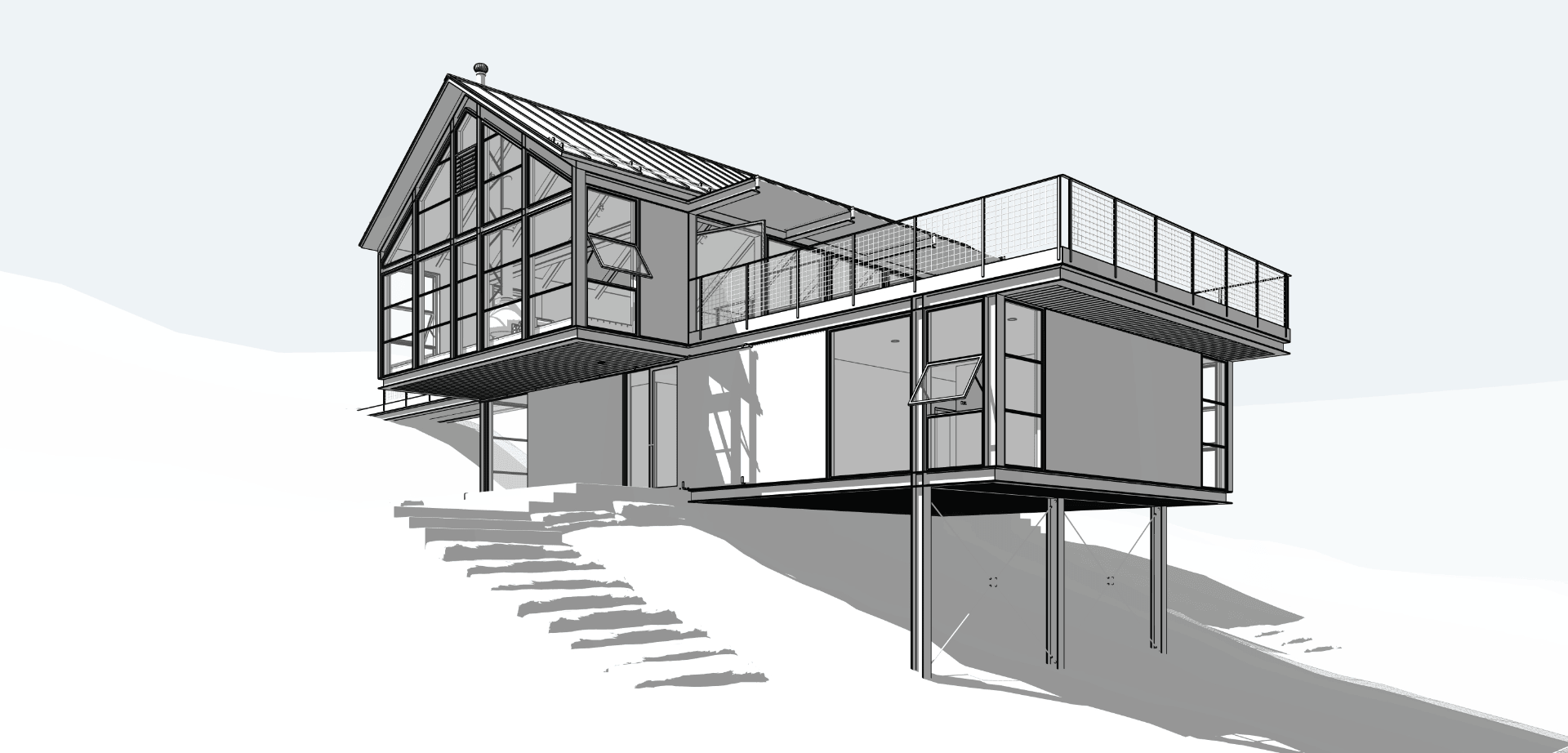
Habitat Studio Architects, led by Principal Architect Wayne Greenland, used Gendo's Enhance feature to turn flat, digital-looking Enscape renders into photorealistic, client-ready images in minutes.
What they did:
- Integrated Enhance directly into their existing Enscape workflow with no steep learning curve
- Used Gendo to enrich textures, deepen shadows, soften lighting, and add subtle landscape realism
- Kept outputs faithful to the original model using mid-to-high Input Adherence settings
- Reduced Photoshop work to only minimal finishing touches
Impact:
- Visualisation preparation time dropped by approximately 70%
- Hours of post-processing replaced by near-complete results in minutes
- Clients connected more quickly with designs, leading to faster, more confident approvals
- On the Wallaby project, a hesitant façade material was approved immediately after being visualised through Gendo
Read the full Habitat Studio case study for more detail on their workflow.
Step-by-Step Workflow: From Brief to Client Sign-Off
A practical blueprint studios can adapt:
- 1.Upload base model — import the initial massing or BIM file into the central canvas and tag it with project metadata
- 2.Choose templates — select a preset prompt template with camera positions, lighting, and material palettes
- 3.Run batch generations — execute an overnight batch job producing multiple render variants, each linked to the model revision and seed parameters
- 4.Internal review — host a design review session within the canvas using annotations and comparisons to shortlist directions
- 5.Branch for refinement — create branches for shortlisted directions and assign tasks (material tweaks, façade studies)
- 6.Client presentation — publish a curated gallery with commenting enabled and capture client preferences inline
- 7.Decision capture — mark the selected direction as an approved milestone and export required documents
- 8.Documentation and handover — archive the full history and hand over a packaged set of assets to consultants or contractors
How to Evaluate Platforms for AI-Assisted Design Workflows
When comparing platforms, assess them against both technical and operational criteria:
Technical:
- Model import fidelity and metadata preservation
- Quality and customisation of AI rendering engines
- APIs, plugin support, and automation capabilities
- Export options for deliverables and BIM coordination
Operational:
- Auditability and version history
- Security features and enterprise readiness
- Ease of collaboration for distributed teams
- Vendor transparency about model training and data usage
Platforms like Gendo emphasise being more than an image generator: they aim to be the Architectural Design Canvas that ties every render and comment back to a decision. That kind of workflow ownership is a strong differentiator for firms seeking a single source of truth.
Future Directions
Several trends will shape the next phase of AI-assisted design workflows:
- Multimodal co-creation — seamless switching between sketches, models, and rendered images with AI understanding across modes
- Real-time collaborative generation — multiple designers iterating on live shared canvases with AI suggestions appearing in context
- Context-aware automation — AI that understands regulatory, environmental, and budget constraints and proposes compliant iterations
- Stronger enterprise governance — more firms demanding private model deployment and contractual clarity around data usage
These developments will make AI-assisted design workflows more deeply embedded in daily architectural practice, shifting the competitive advantage to firms that combine technological fluency with strong design judgement.
Conclusion
AI-assisted design workflows are not a single tool or a passing trend — they represent a new approach to how architects explore ideas, collaborate with clients, and preserve the narrative of design decisions.
When architects pair AI speed with centralised collaboration, version control, and strong governance, they gain faster iteration cycles, clearer client communication, and a searchable record that scales a firm's design knowledge.
For firms evaluating this transition, the priorities are clear: start with pilot projects, standardise templates and prompts, centralise assets and feedback, and choose platforms that respect enterprise security and IP.
"Ready to see how it works? [Explore the Gendo Canvas](/product)"
— the Architectural Design Canvas built for studios.
Frequently Asked Questions
What is the difference between AI-assisted and AI-driven design?
AI-assisted design augments human designers — providing suggestions, automating routine tasks, and accelerating visualisation — while the architect retains control and authorship. AI-driven design places the model in a lead role, generating outcomes with minimal human input. Most architecture firms benefit from an assisted approach that preserves professional responsibility and design intent.
Can AI-generated images be used in client presentations legally?
Yes, but firms should verify platform terms to ensure client assets are not used to train public models and should document authorship and review. Including a statement in client agreements clarifying how AI tools are used and who owns the outputs is good practice.
How does version control work in AI-assisted workflows?
Effective platforms tie each render and AI output to a specific model revision and parameter set. Teams can branch models to explore alternatives, compare snapshots side-by-side, and trace decisions back to the exact variant used for client approval.
Will AI replace junior designers or render artists?
AI changes the nature of these roles rather than eliminates them. Junior designers and render artists can shift toward higher-value tasks — curation, concept synthesis, client storytelling, and technical coordination — while AI handles repetitive rendering and exploratory iterations.
How should a firm start implementing AI-assisted design workflows?
Begin with a small pilot: pick a project with clear visual needs, create prompt templates, measure render time and client response, and standardise successful practices. Invest in training and choose a platform that integrates with existing modelling tools and offers robust security and versioning features.