---
title: "Sketch to Image AI — Turn Drawings Into Renders | Gendo"
description: "Turn any hand-drawn sketch into a photorealistic render with Gendo's sketch to image AI. Upload a pencil sketch or rough plan and get architectural renders in seconds."
lang: en
json-ld: |
[
{
"@context": "https://schema.org",
"@type": "FAQPage",
"mainEntity": [
{
"@type": "Question",
"name": "What types of sketches work?",
"acceptedAnswer": {
"@type": "Answer",
"text": "Gendo works with any visual input — pencil sketches, pen drawings, digital line art, grey 3D model exports, and even rough napkin drawings. The AI interprets spatial relationships, so as long as your sketch conveys room proportions and basic geometry, it will produce accurate results."
}
},
{
"@type": "Question",
"name": "How accurate is it?",
"acceptedAnswer": {
"@type": "Answer",
"text": "Gendo preserves the spatial geometry of your sketch. Room proportions, window positions, wall angles, and structural elements are maintained in the output render. You control style, materials, and lighting independently of the underlying geometry."
}
},
{
"@type": "Question",
"name": "Can I control the style?",
"acceptedAnswer": {
"@type": "Answer",
"text": "Yes. You can choose from preset styles, use text prompts to describe the desired aesthetic, or upload a reference image to define materials and mood. Style, materials, and lighting are all independently controllable."
}
},
{
"@type": "Question",
"name": "Is it free?",
"acceptedAnswer": {
"@type": "Answer",
"text": "Gendo offers a free plan with watermarked renders. No credit card required. Paid plans unlock unwatermarked outputs, more projects, and full commercial-use licensing."
}
},
{
"@type": "Question",
"name": "What software can I use alongside Gendo?",
"acceptedAnswer": {
"@type": "Answer",
"text": "Gendo accepts image inputs from any design tool — SketchUp, Revit, Rhino, ArchiCAD, Vectorworks, Blender, Procreate, and more. Any viewport export, screenshot, or scanned sketch works as a starting point."
}
},
{
"@type": "Question",
"name": "How is Gendo different from generic AI image tools?",
"acceptedAnswer": {
"@type": "Answer",
"text": "Generic AI image generators don't preserve architectural geometry or spatial proportions. Gendo is purpose-built for spatial design — it maintains room structure, supports material changes, and keeps all assets in a shared project canvas. Read the full comparison."
}
},
{
"@type": "Question",
"name": "Can teams collaborate on sketch-to-render projects?",
"acceptedAnswer": {
"@type": "Answer",
"text": "Yes. Gendo's canvas is a multiplayer workspace where team members can generate renders, leave notes, discuss variations, and build presentation packs together. It replaces fragmented workflows."
}
},
{
"@type": "Question",
"name": "Is my design data secure?",
"acceptedAnswer": {
"@type": "Answer",
"text": "On Studio and Enterprise plans, all prompts and outputs are treated as confidential IP. They are never used for model training. Gendo operates on GDPR-compliant EU data centres. Read more about data and control."
}
}
]
},
{
"@context": "https://schema.org",
"@type": "SoftwareApplication",
"name": "Gendo",
"applicationCategory": "DesignApplication",
"operatingSystem": "Web",
"url": "https://www.gendo.ai/sketch-to-image-ai",
"description": "Turn any hand-drawn sketch into a photorealistic architectural or interior render using AI.",
"offers": [
{
"@type": "Offer",
"name": "Free",
"price": "0",
"priceCurrency": "GBP"
},
{
"@type": "Offer",
"name": "Studio",
"price": "79",
"priceCurrency": "GBP"
}
]
},
{
"@context": "https://schema.org",
"@type": "BreadcrumbList",
"itemListElement": [
{
"@type": "ListItem",
"position": 1,
"name": "Home",
"item": "https://www.gendo.ai"
},
{
"@type": "ListItem",
"position": 2,
"name": "Sketch to Image AI",
"item": "https://www.gendo.ai/sketch-to-image-ai"
}
]
},
{
"@context": "https://schema.org",
"@type": "WebPage",
"name": "Sketch to Image AI — Turn Drawings Into Renders",
"description": "Turn any hand-drawn sketch into a photorealistic render with Gendo's sketch to image AI.",
"url": "https://www.gendo.ai/sketch-to-image-ai",
"isPartOf": {
"@type": "WebSite",
"name": "Gendo",
"url": "https://www.gendo.ai"
}
}
]
---
[](/)
[Features](/product)[Solutions](/workflows)[Resources](/resources)[Pricing](/pricing)
About
[Log In](https://app.gendo.ai/sign-in)[Start creating ](https://app.gendo.ai/sign-up)
# Turn Any Sketch Into a
Photorealistic Render.
Upload a hand-drawn sketch or rough plan. Gendo's AI does the rest.
[Try It Free — Upload Your Sketch](https://app.gendo.ai)[See examples](#gallery)
Works with any sketch type
Results in seconds
Free to start
[
Drop your sketch here
PNG, JPG, or PDF — any resolution
](https://app.gendo.ai)
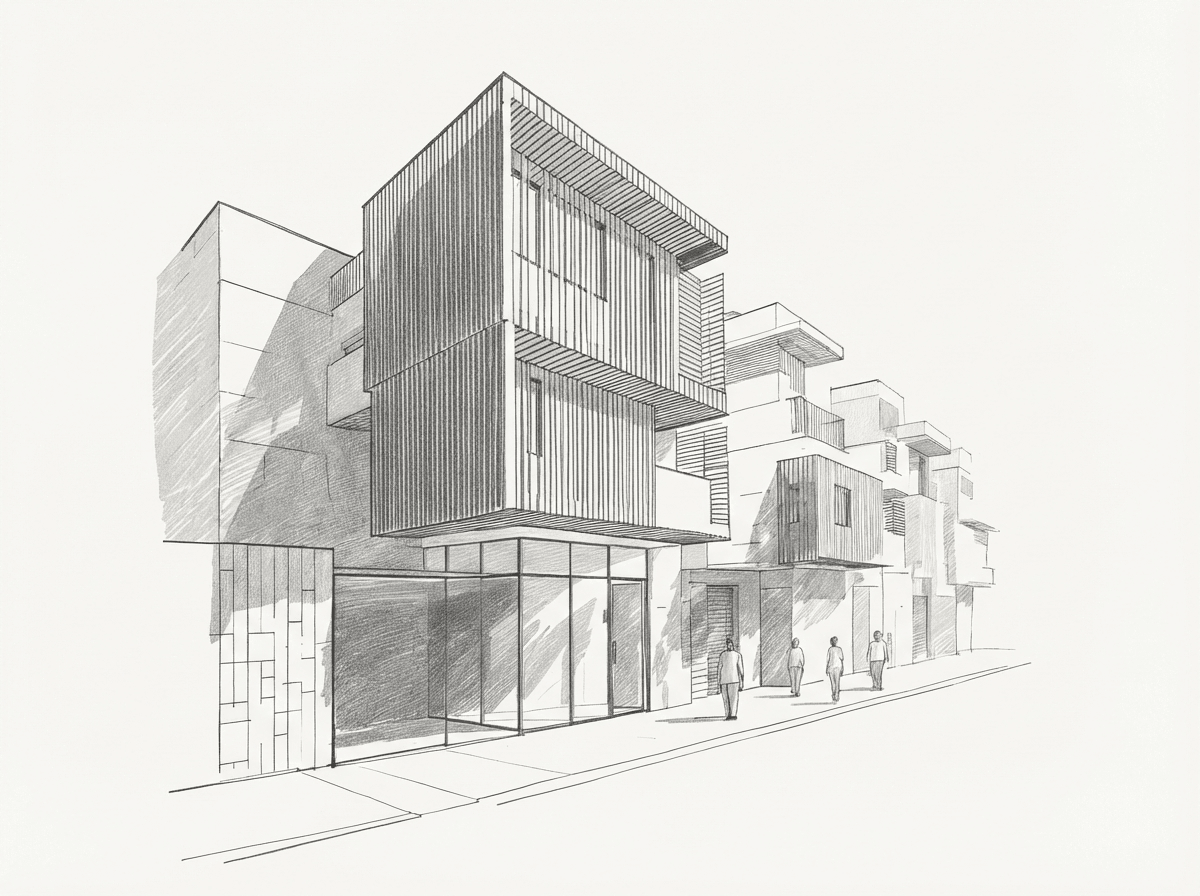Sketch
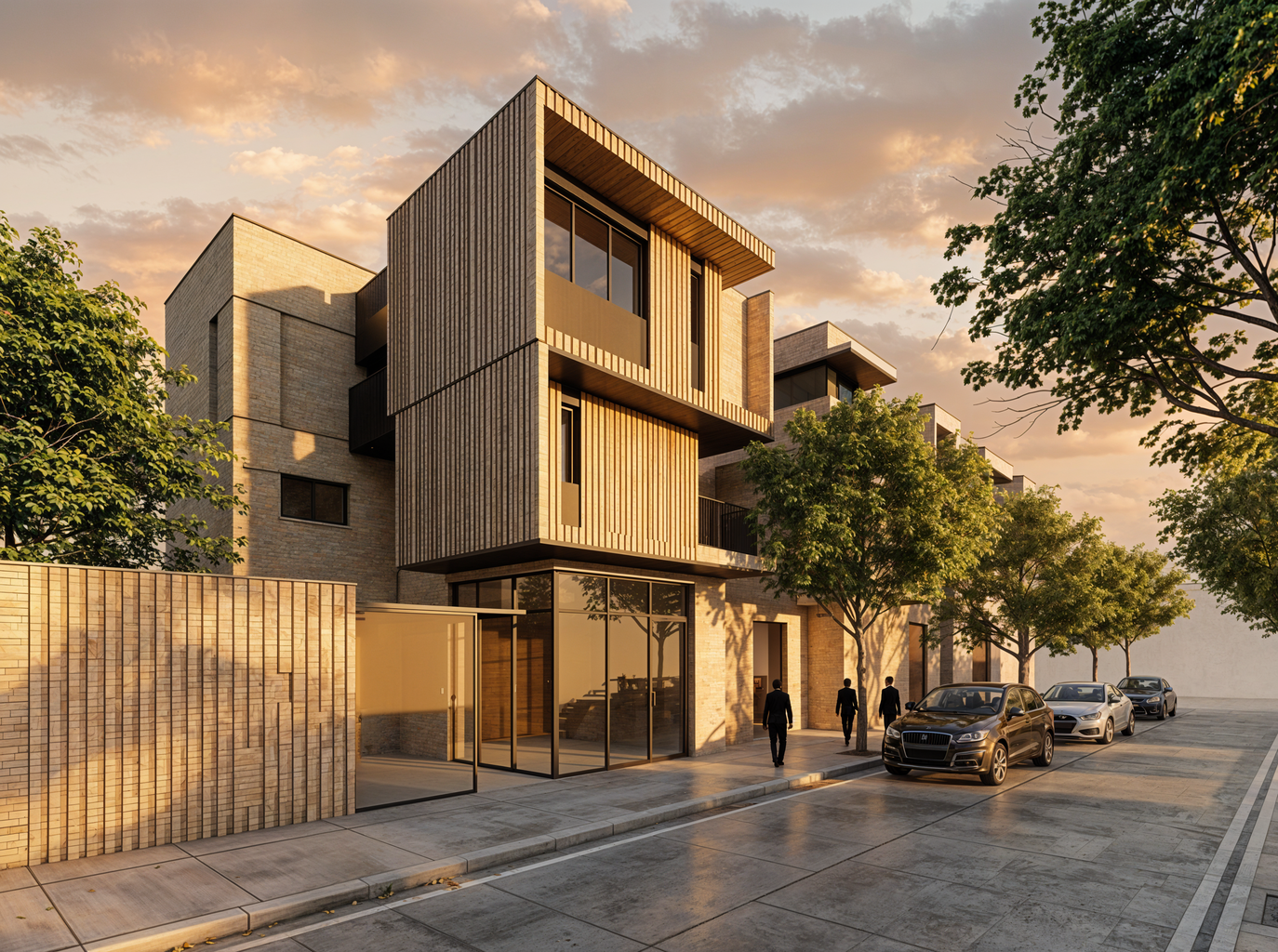Gendo Render
Flexibility
## Works with any sketch
Use cases
## Built for every creative workflow
Interior DesignersArchitectsProperty Developers
### Interior Designers
Turn quick room sketches into photorealistic interior visualisations. Test materials, lighting, and furniture layouts before committing to a direction.
[Try it free](https://app.gendo.ai)
## Why Gendo beats the alternatives
Generic AI image tools were not built for spatial design. Gendo is.
Feature
Adobe Firefly
Canva
Gendo
Sketch-to-render (spatial)
Architecture-specific AI
Preserves geometry
Material control
Team collaboration
Free tier
Commercial-use licensing
Professional render quality
## Frequently asked questions
### What types of sketches work?
### How accurate is it?
### Can I control the style?
### Is it free?
### What software can I use alongside Gendo?
### How is Gendo different from generic AI image tools?
### Can teams collaborate on sketch-to-render projects?
### Is my design data secure?
Sketch to image AI tools allow designers, architects, and homeowners to transform hand-drawn sketches into photorealistic renders using artificial intelligence. Unlike generic AI image generators, Gendo's sketch to image AI is purpose-built for spatial design — preserving room proportions, architectural geometry, and structural accuracy. Whether you're working from a pencil sketch, a digital line drawing, or a rough massing model, AI-powered sketch-to-render workflows reduce visualisation time from hours to seconds, enabling faster design iteration and more confident client communication.
## Your sketch, rendered.
Upload any sketch and see it transformed in seconds. Free to start.
[Start Creating](https://app.gendo.ai)
Explore more
[AI Architecture](/ai-architecture)[AI Interior Design](/ai-interior-design)[AI Landscape Design](/ai-landscape-design)[Product Features](/product)[Case Studies](/resources/stories)[Pricing](/pricing)
[Gendo ](#)
A living canvas for visual exploration, iteration, and decision-making.
### Product
- [Product](/product)
- [Pricing](/pricing)
- [FAQs](/faqs)
### Company
- [About Us](/about-us)
- [Career](/career)
- [Environmental Statement](/about/environmental-statement)
- [Blog](/resources/insights)
- [Contact Us](/book-call)
### Connect
- [LinkedIn](https://linkedin.com/company/gendo-ai)
- [Instagram](https://instagram.com/gendo.ai)
- [YouTube](https://youtube.com/@Gendo-ai)
© 2026 Gendo. All rights reserved.
[Licenses](/licenses)[Terms of Service](/terms-of-service)[Privacy Policy](/privacy-policy)